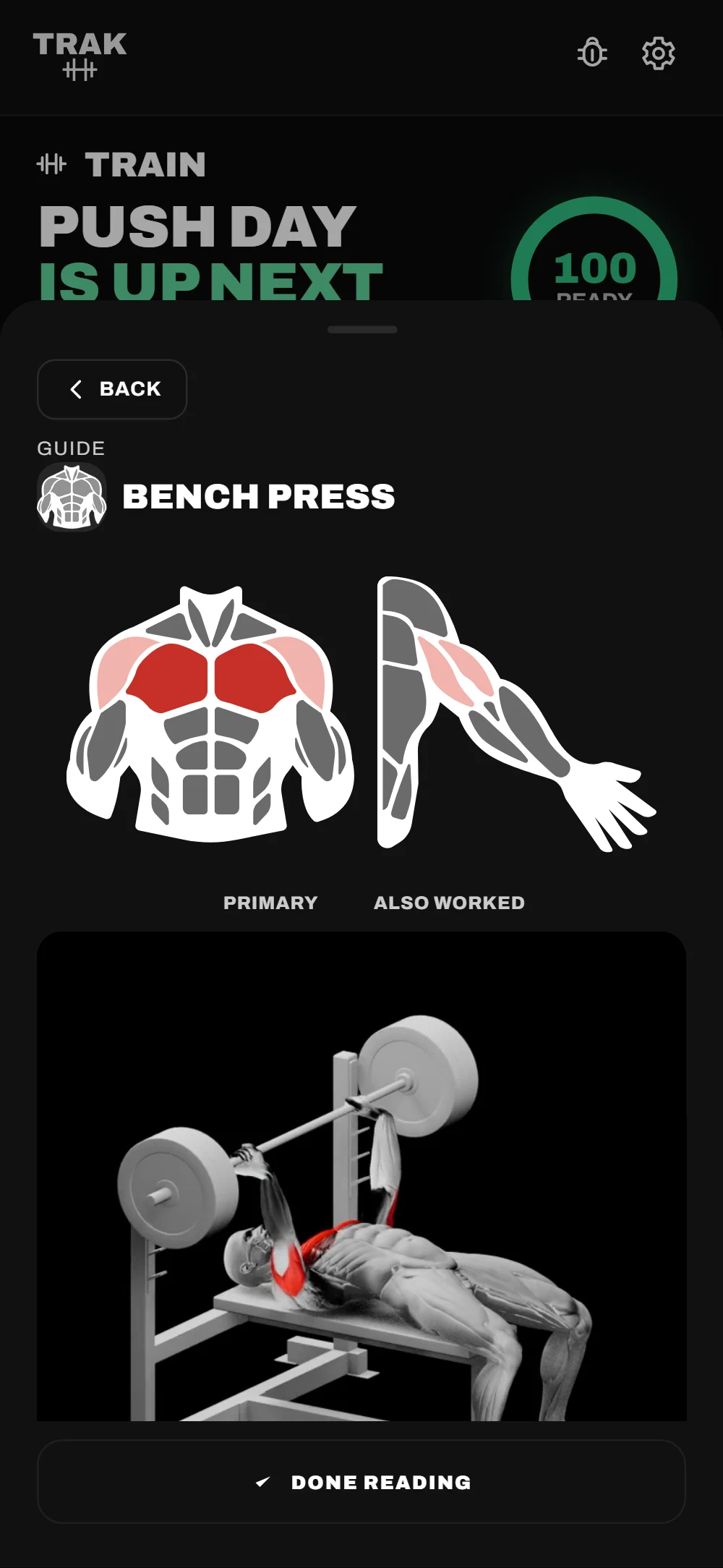
TRAK reads the anatomy behind each exercise, not just its name. Pick a lift and watch what it trains on a full body, front and back: the primary movers, and the muscles quietly doing the supporting work.
Front
Back
Pick A Lift
Primary
Supporting
Not Trained
On Every Exercise Guide
Open any movement and the same map appears beside a 3D demo of the lift.
And Across Your Whole Body
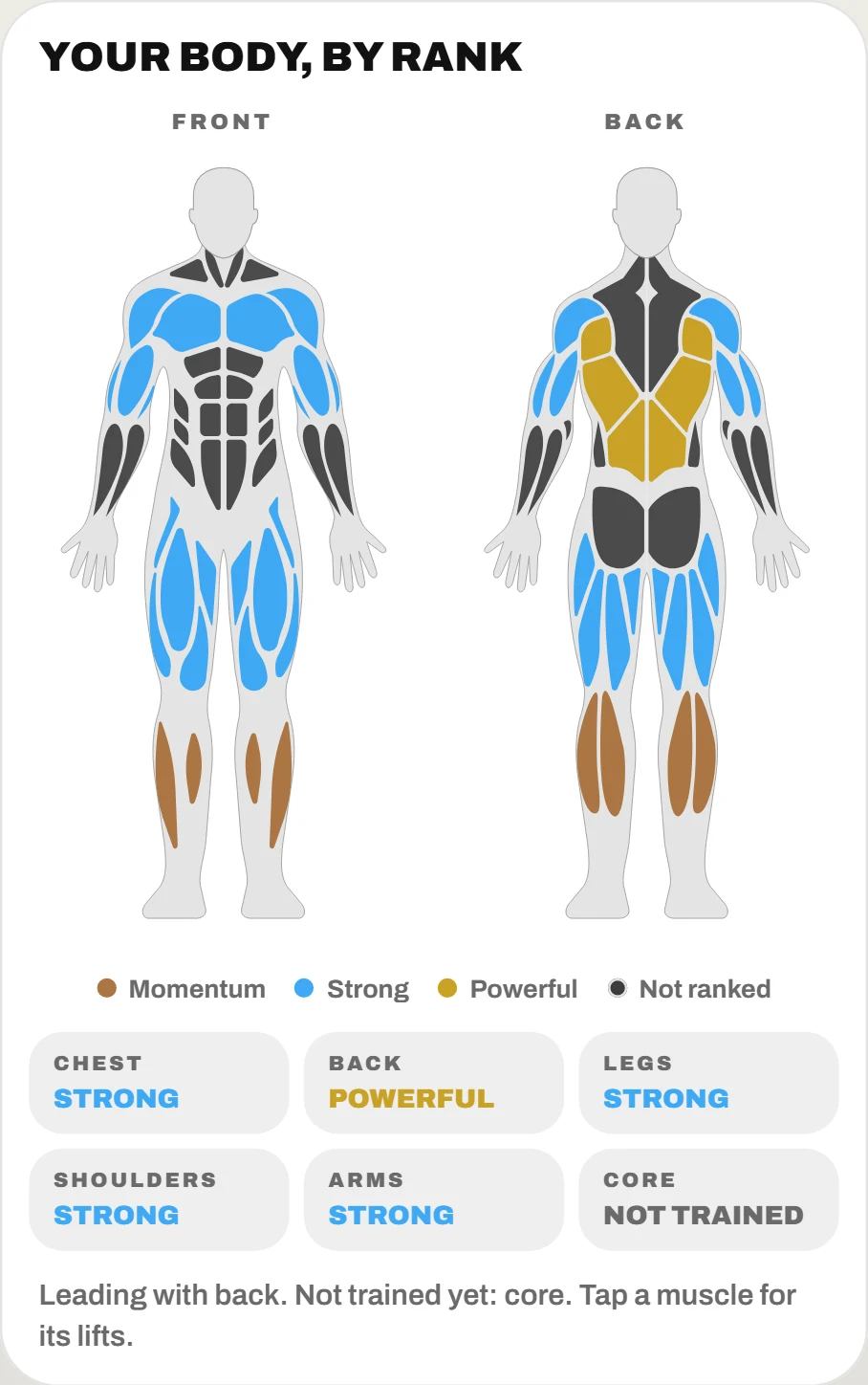
The strength map paints every muscle, front and back, in the rank you hold for it. Gaps are obvious at a glance, and tapping a muscle lists the lifts behind it.
Two Halves Of The Same Problem.
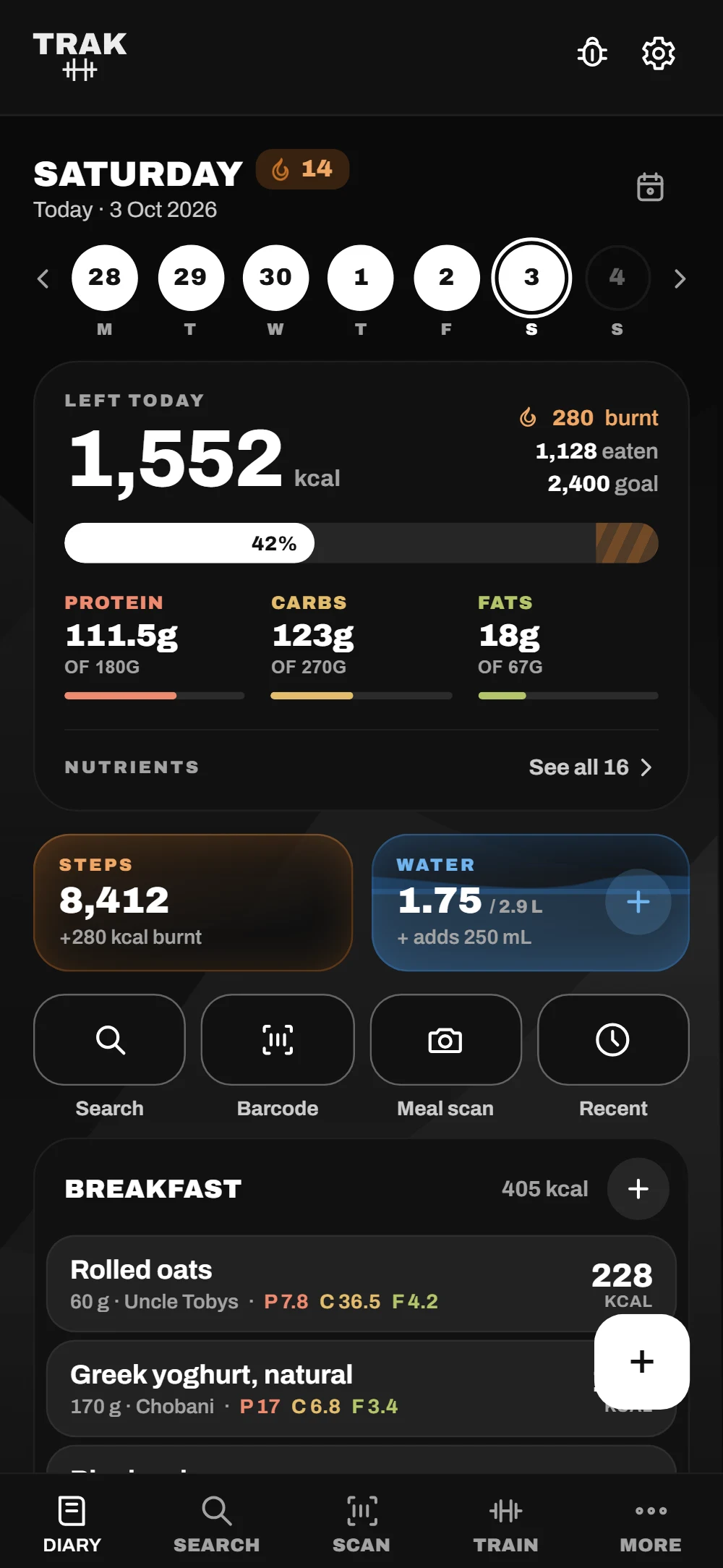
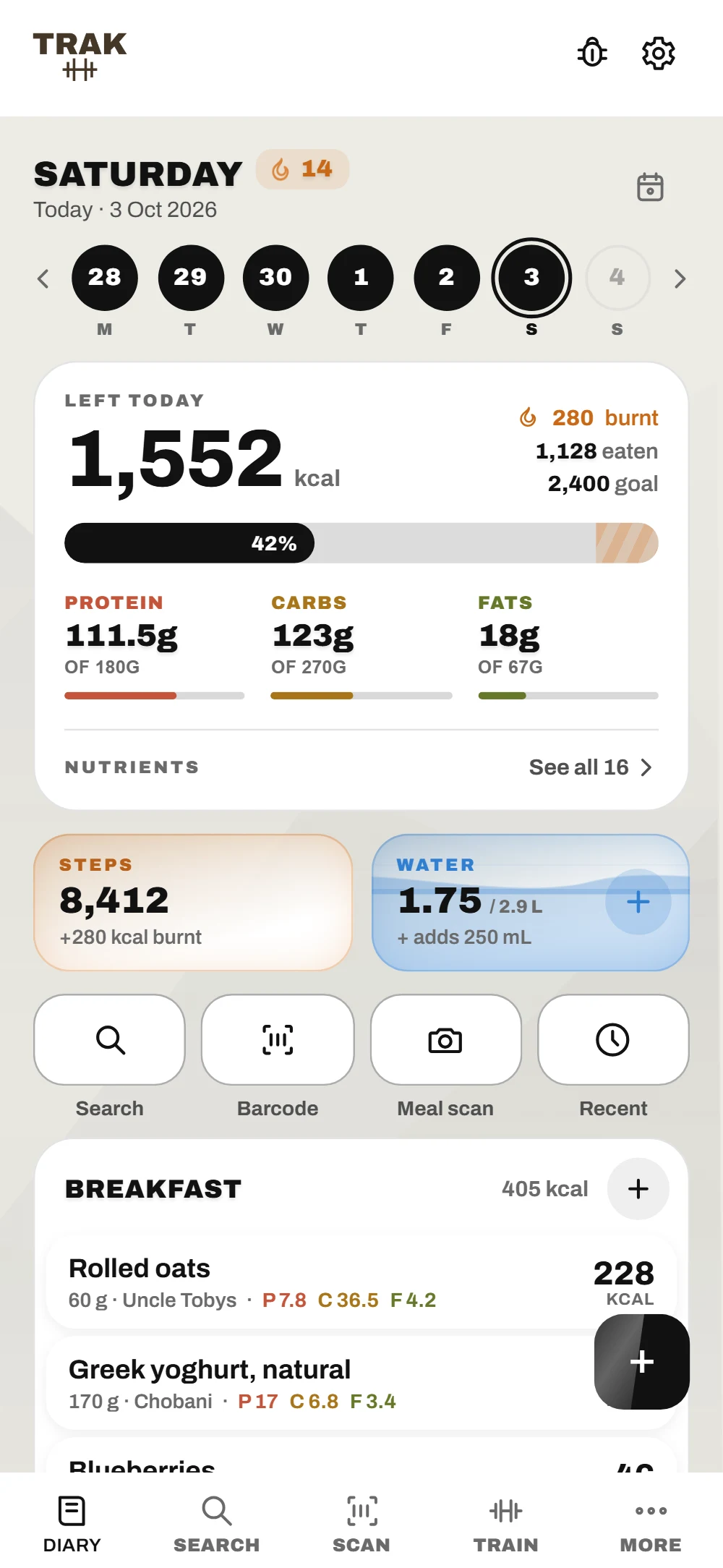
Most trackers do food or training. TRAK does both, and measures them against the same goal — so a heavy week of lifting changes what the app asks you to eat.
Log A Set In Two Taps
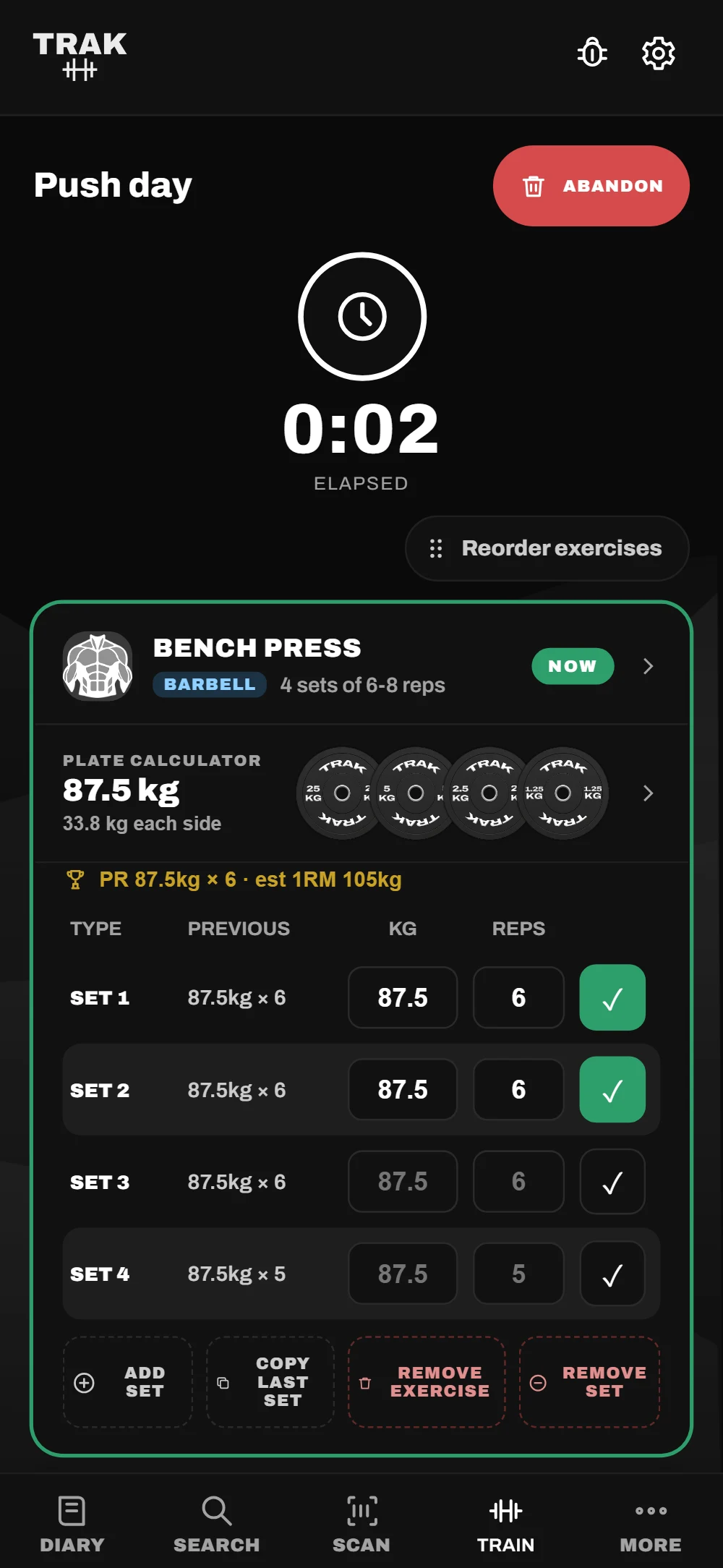
The plate calculator shows what goes on each side, exercises drag into any order, and the rest timer runs on your lock screen.
76,803 Australian Products, On The Phone
Barcode scanning and food search run against a database that ships inside the app — not a server. Results are instant, they work in a basement gym with no signal, and they don't depend on someone else's API staying up. Built from the Open Food Facts export, filtered to Australia and New Zealand, and republished under the same open licence.
Six Ranks You Can Actually Reach
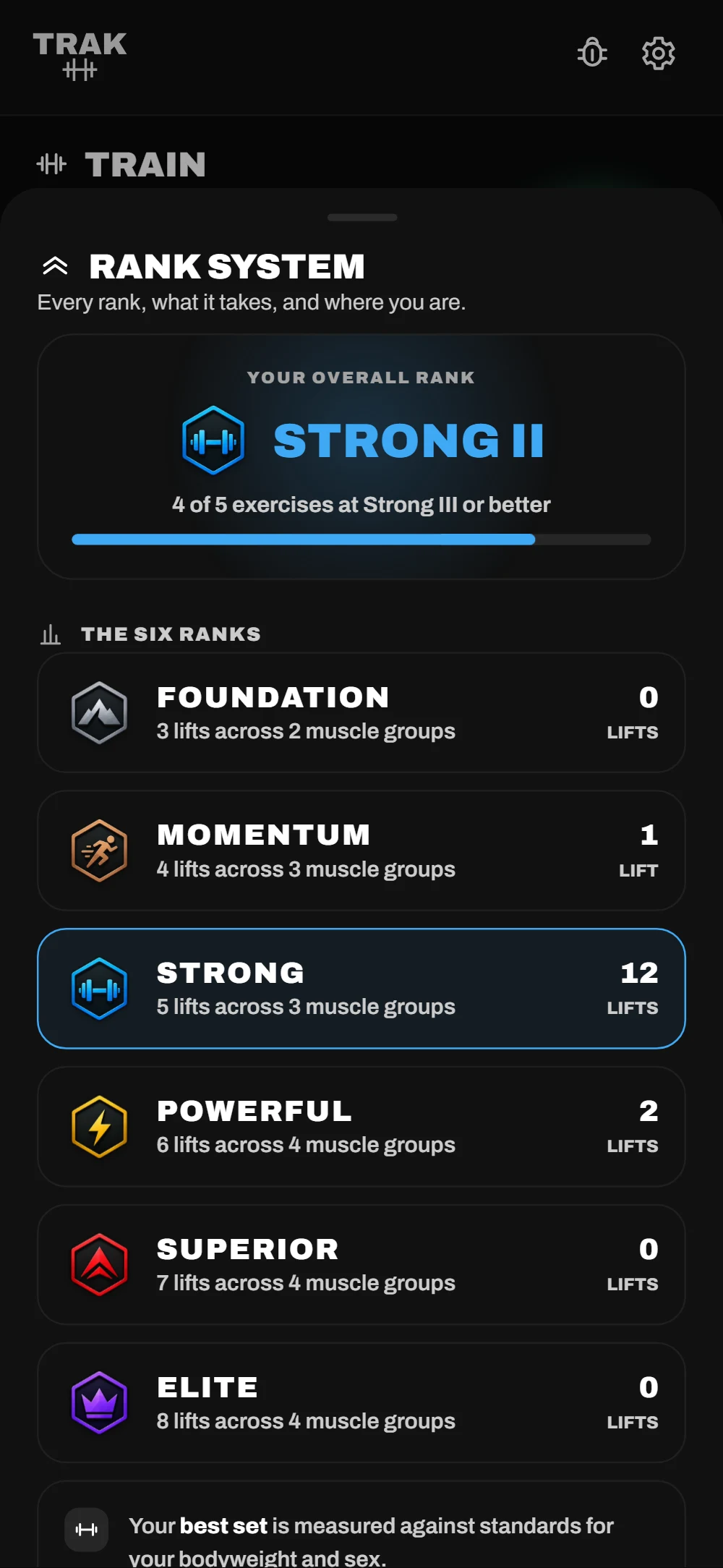
Foundation to Elite, measured against your own bodyweight, and three steps inside each so progress shows between them. Every threshold is checked against real machine stacks, so Elite is hard — not impossible.
Bench PressStrong II
SquatPowerful I
DeadliftSuperior II
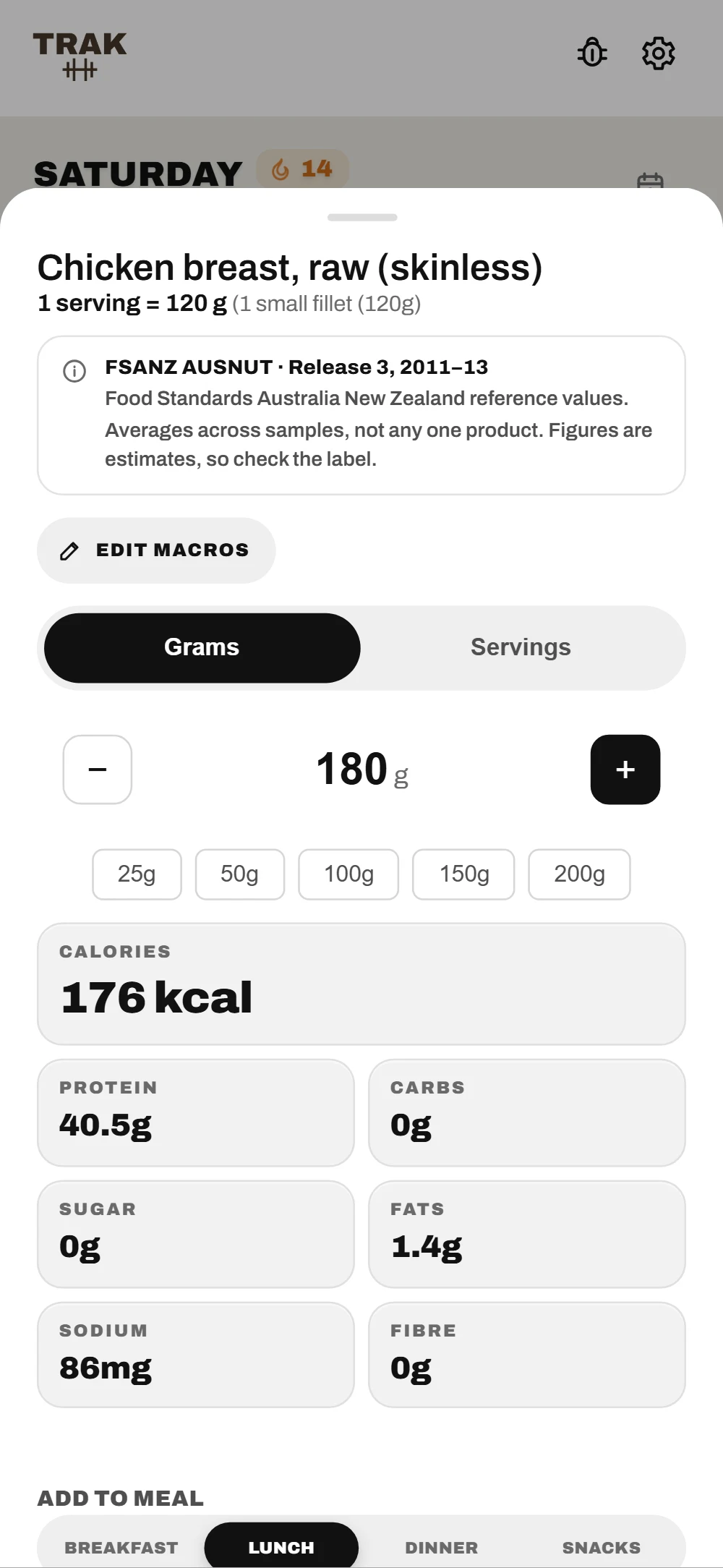
Every Number, Per Gram
Weigh it or count servings. Macros, sodium and fibre recalculate as you dial the amount.
Sixteen Nutrients, Not Four
Iron, calcium, magnesium, potassium, zinc, folate, and the vitamins — tracked from the same entries you already log. Keep the targets TRAK works out for you, or set your own. Supplements and medication feed straight into the totals, so the number reflects what you actually took, not just what you ate.
Photograph The Panel
When a barcode is missing or wrong, point the camera at the nutrition information panel. TRAK reads it on the device — kilojoules converted, sodium in milligrams, per-100 g and per-serve columns kept apart. Nothing is uploaded to read it.
Photograph The PlatePremium
No packet at all? Snap the meal. TRAK names each food and estimates its grams, then takes the numbers from its own food database rather than a guess — and you check every row before it logs. The photo is sent to be read and isn't kept.
A Day Of Eating, PlannedPremium
A full day of meals built to your calorie budget and macro split from real Australian foods — vegetarian, vegan, gluten-free, dairy-free or nut-free if you need it. Tick each meal off in the diary as you eat it, or switch the plan off for the day.
And The Rest Of It
Water And Steps
Fill a glass or sync steps from Apple Health. Both feed your calorie budget.
Workouts From Your Watch
Apple Watch, Garmin and Strava sessions saved to Apple Health come straight in.
Outdoor Runs
Route, pace and distance, with the run on your lock screen while you go.
Recipes
Paste the ingredients the way you'd write them. TRAK totals every serve, and each recipe can carry its own photo.
Verified Foods
Enter a label once and your version wins in every search after.
Widgets
Today's calories and water on your Home Screen and Lock Screen.
Reminders
Meals, weigh-ins and doses — and tapping one opens the right screen.
Your File
Export everything to one file, and import it on a new phone.
Progress You Can Actually See.
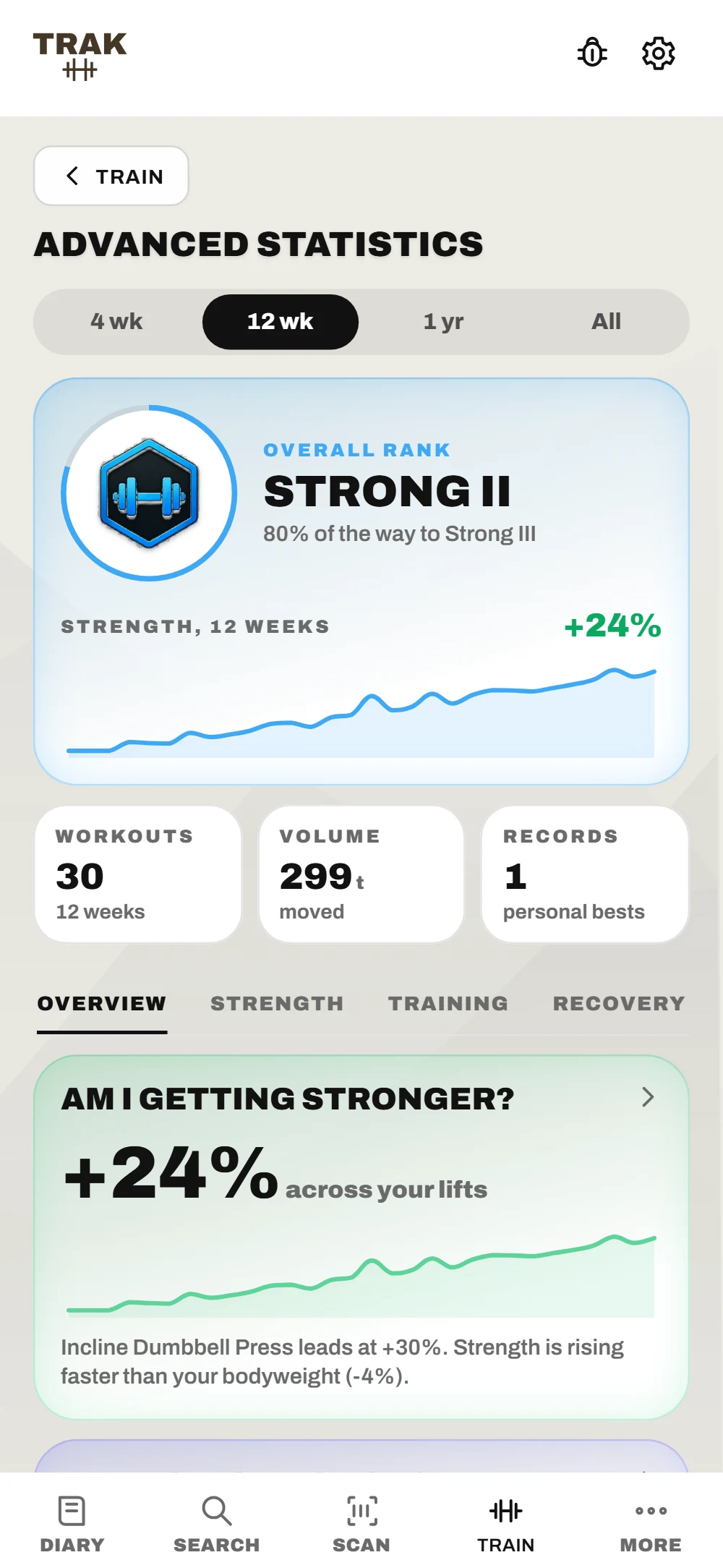
Getting stronger is slow and lumpy. TRAK breaks it into steps you can watch move — a rank for every lift, one overall, and a consistency rank that counts turning up.
Advanced Statistics
Pick a range, then four tabs. Overview answers four questions: am I getting stronger, am I doing enough, where am I weakest, am I resting right. Strength holds the muscle map and every lift over time.
Six Ranks, Three Steps Each
Superior now sits between Powerful and Elite. Rank-ups and new records turn over one by one on the Workout Complete screen as you earn them.
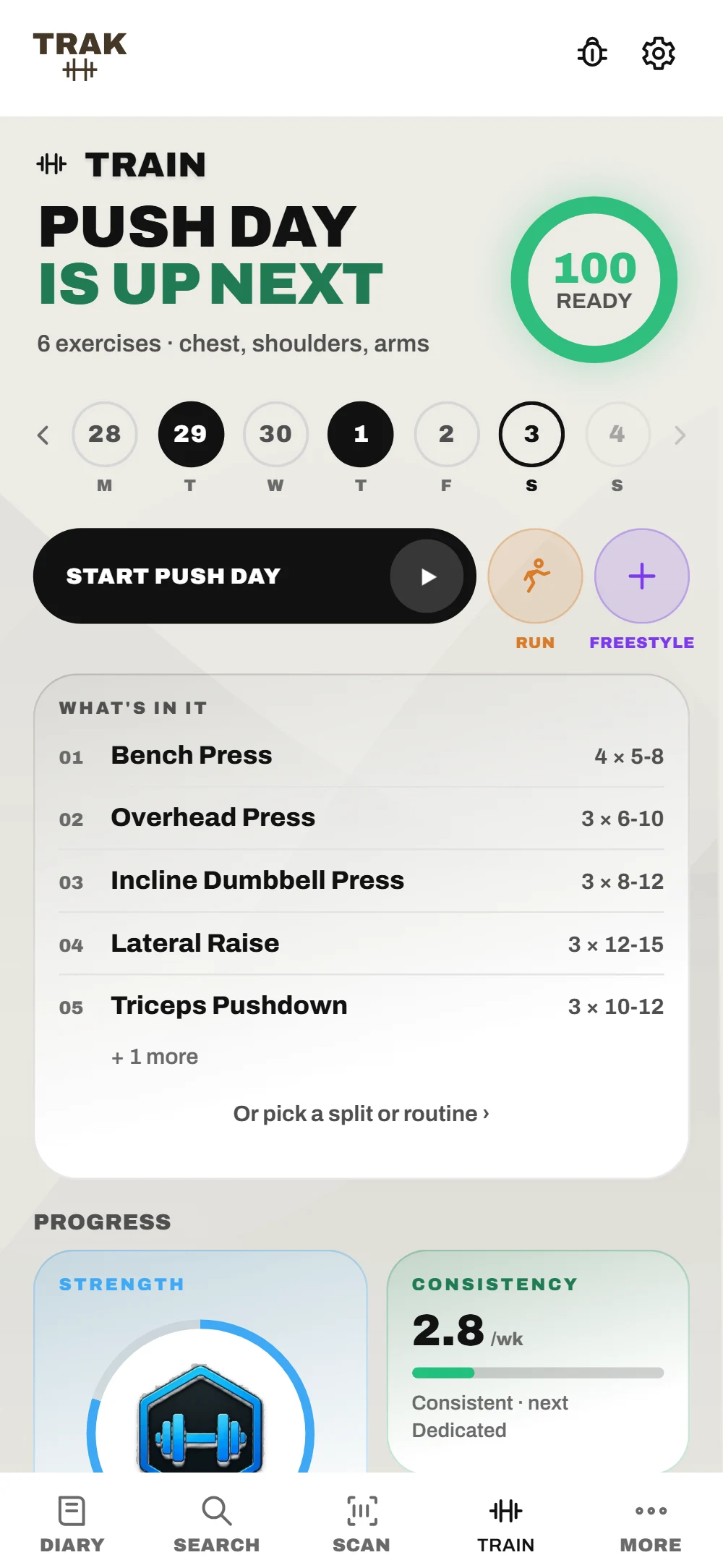
A Coach That Reads What You've Done
The coach picks today's workout from what you've trained and how recovered you are, shows the week at a glance, and starts it in one tap. Runs and freestyle sessions sit right beside it.
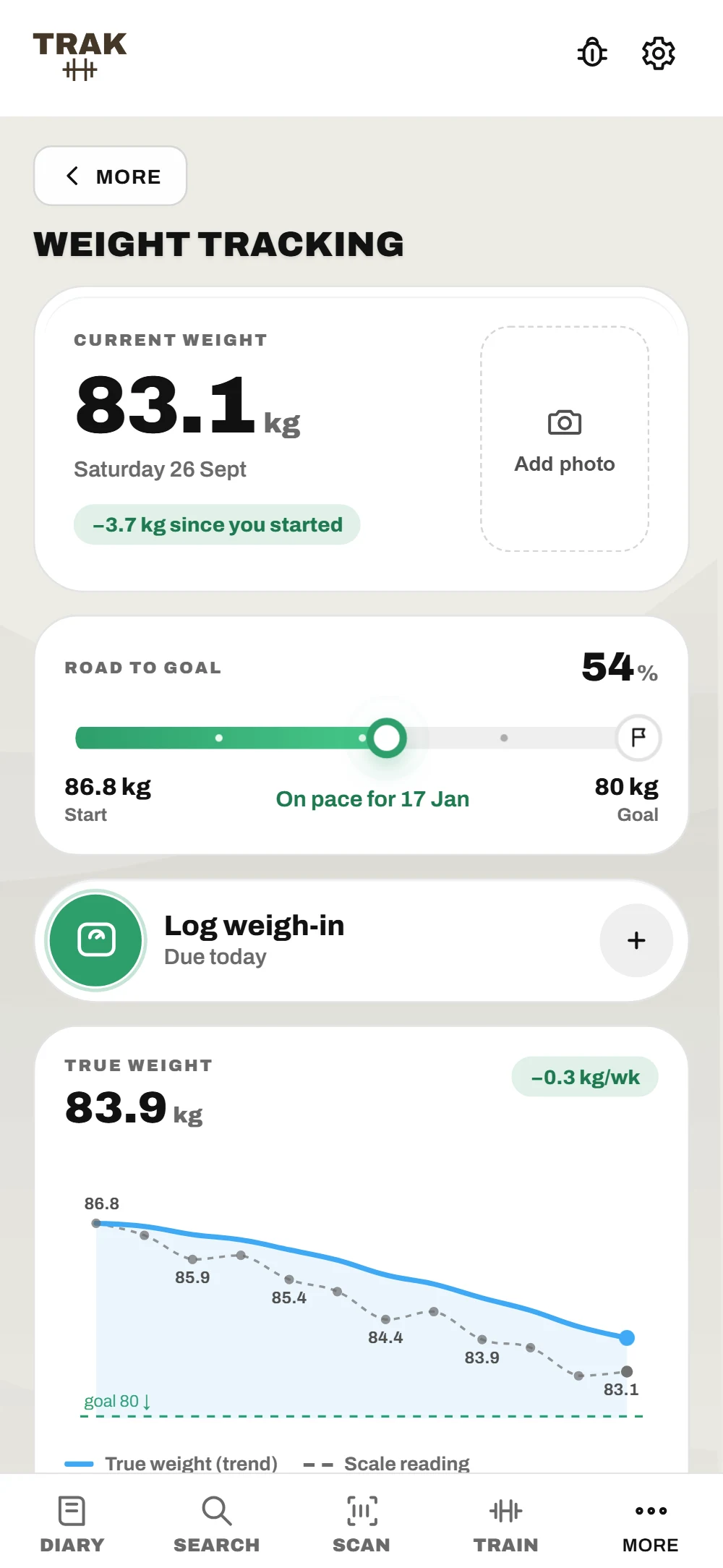
Weight, Without The Daily Noise.
The scale moves with water and last night's dinner. TRAK draws the trend underneath it, so you can see where your weight is actually heading.
01
True Weight, Not The Scale
A smoothed trend under every weigh-in, and the pace it's really moving each week.
02
A Road To Goal
Start to goal on one bar, how far along you are, and the date you're on pace to arrive.
03
A Weigh-In That Takes Seconds
Slide the ruler, tap or type. The change since last time shows as you go, and a weekly reminder keeps it the same day each week.
04
Before And Now
Your first progress photo beside your latest, each with the weight it was taken at. Photos stay on your phone.
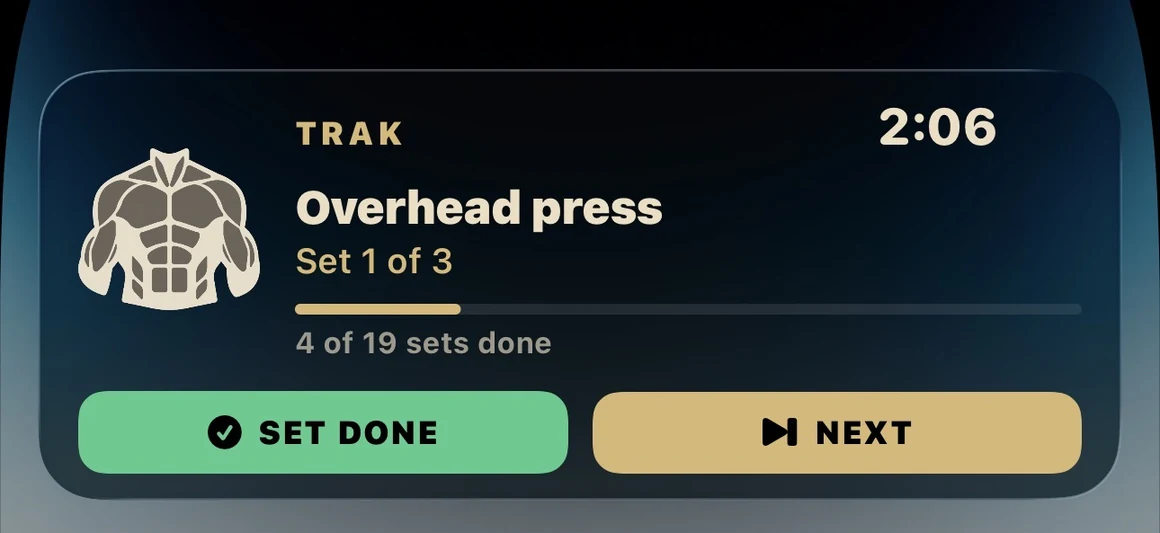
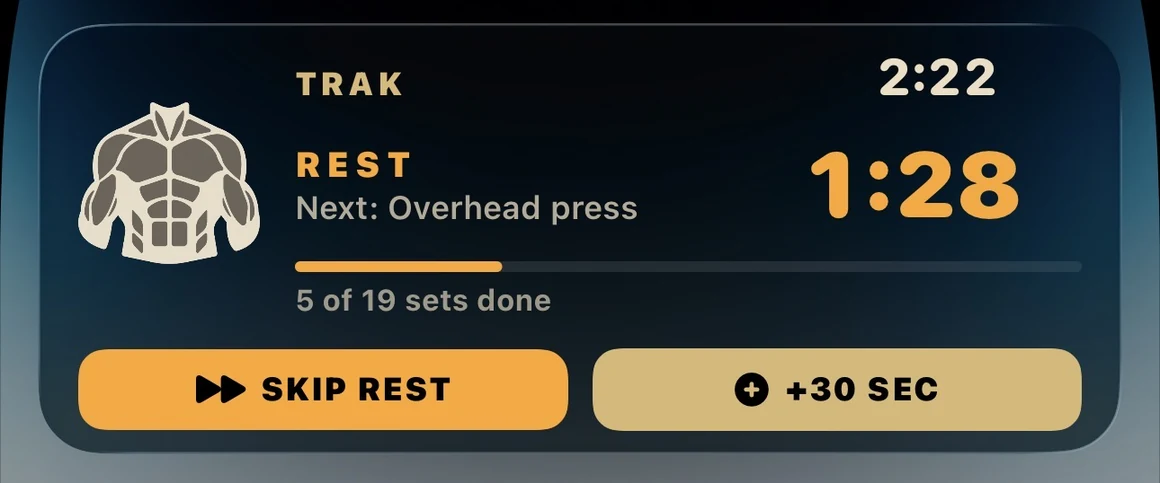
Run The Session Without Unlocking.
The rest timer lives on your lock screen, and the buttons are real. Tick a set off, skip the rest, add thirty seconds, jump to the next exercise — the app updates underneath and your phone stays in your pocket between them.
Mid-set — tick it off or move on
Resting — skip it or buy more time
Same App, Either Way.
Dark mode isn't a filter over a light design. Every surface, chart and chip was drawn twice, so a 5am session and a midday one both read properly — and a slow aurora moves behind all of it.
Light
Dark
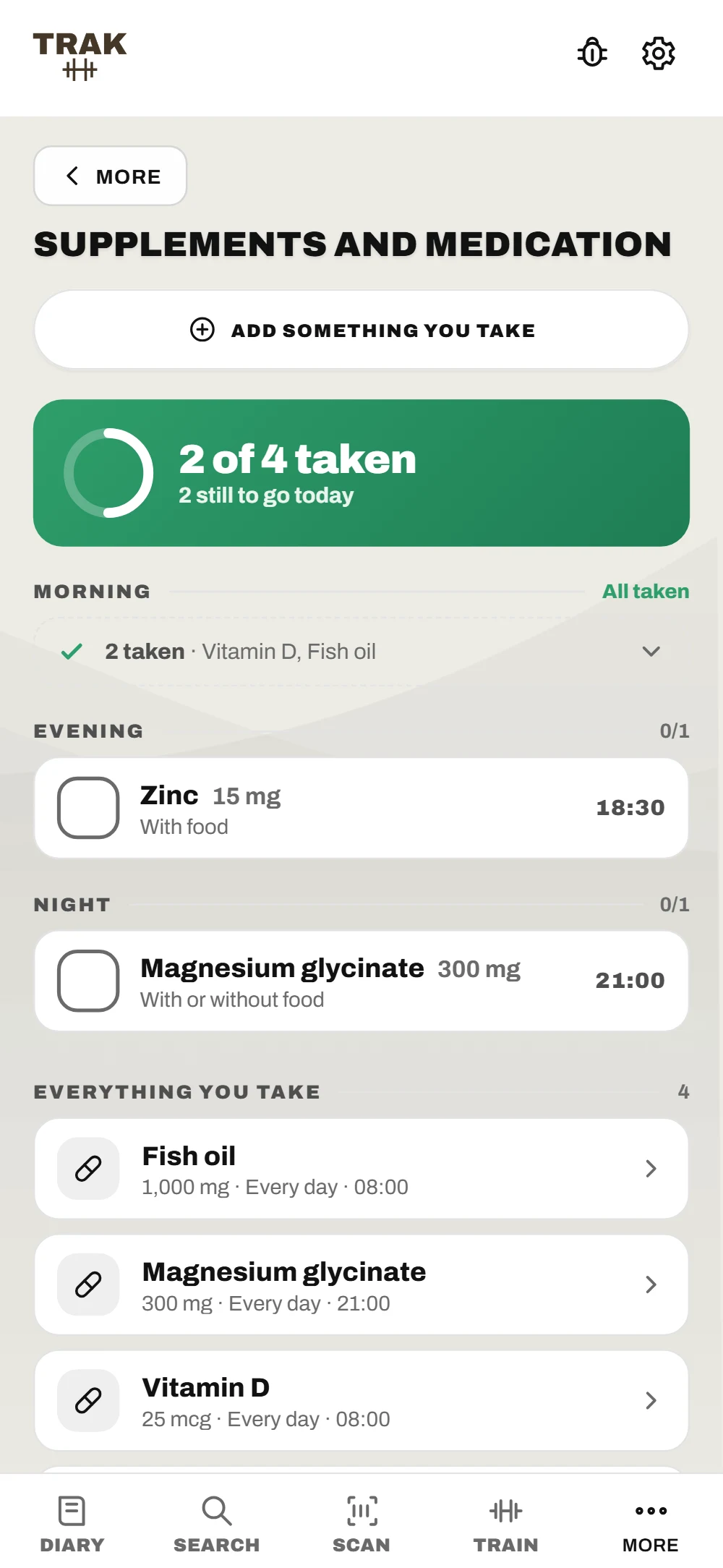
What You Take Counts Too.
A multivitamin is thirty milligrams of zinc whether or not your tracker knows about it. Pills, injections, drops and puffs sit beside the food log, and fold into the same totals.
01
Grouped By When
Morning, midday, evening, before bed. The day's doses sit in the order you'll actually take them, with a ring showing how many are left.
02
Reminders That Know The Rules
With food, without food, on an empty stomach — carried through to the notification, because the timing is half the point.
03
Straight Into Your Nutrients
Tick off a vitamin D tablet and the nutrients tab moves. No separate screen to reconcile, no double-counting when a food already covered it.
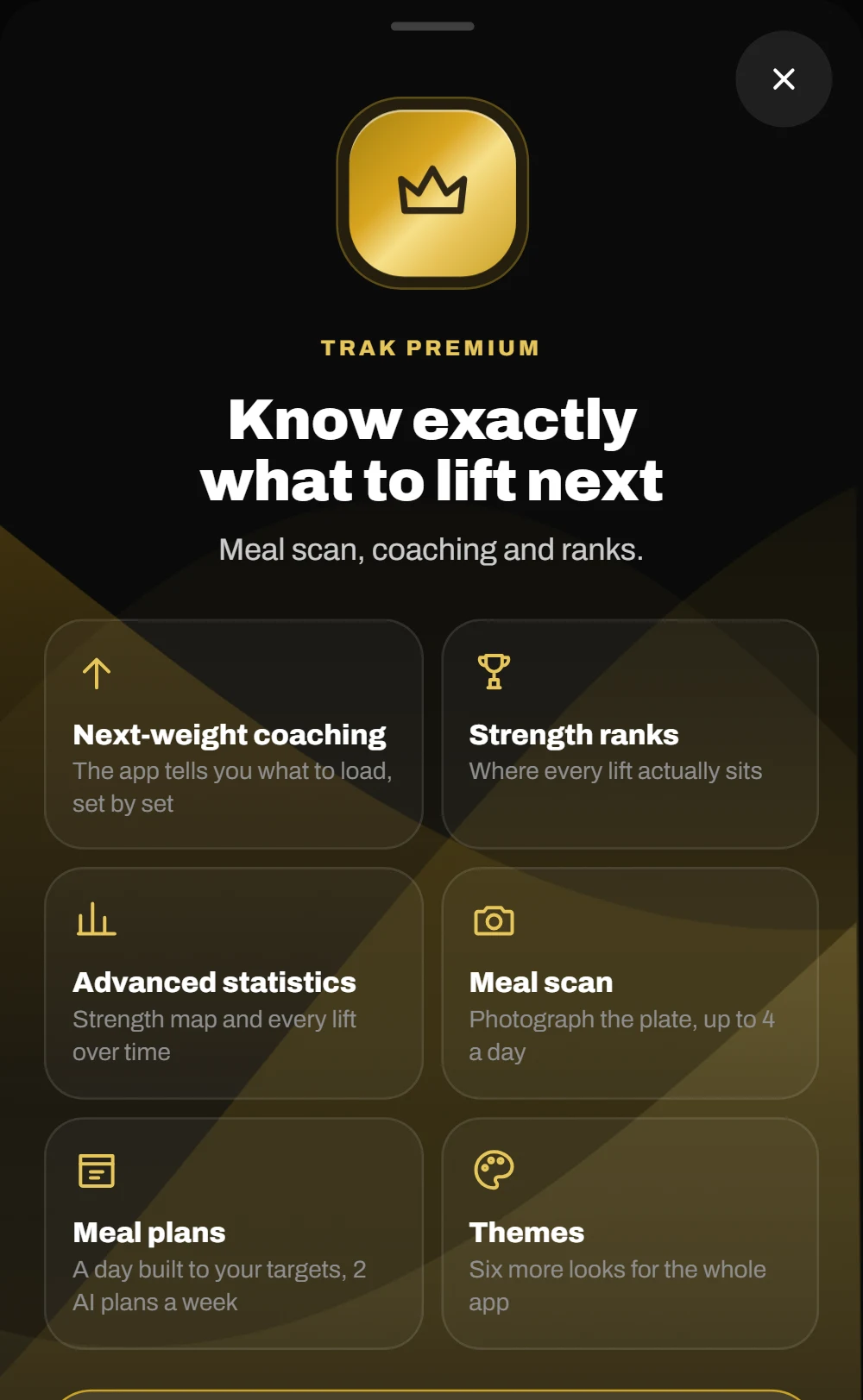
TRAK Premium
More From Every Rep And Every Meal.
Everything on this page works on its own. Premium is the layer on top — the ranks, the coaching and the camera that reads a plate.
Strength Ranks
A rank for every lift, one overall, and a moment when you earn one.
Next-Weight Coaching
TRAK reads your last two sessions and says when to go up.
Advanced Statistics
Strength map, strength profile, and every lift over time.
Meal Scan
Photograph a plate and check what it found.
Meal Plans
A day of eating built to your targets and diet.
Themes And Aurora
Six more looks, with the aurora moving or still.
Free during the beta — every Premium feature is switched on for testers. When Premium launches, its price will be stated here before anything changes.
Your Diary Stays On The Phone.
This isn't a setting you have to find. There is no sign-up, no server that syncs your diary, and no analytics SDK in the build. The one photo that ever leaves your phone is a meal you choose to scan — it's read on TRAK's server and isn't kept.
Open the app and start logging. There's no email address to give, so there's none to leak.
No Analytics
No event tracking, no crash telemetry tied to you, no third-party SDKs watching what you tap.
Offline By Default
Food search runs against a database inside the app. Aeroplane mode changes nothing.
Your Backup, Your File
Export everything as a single file you keep. Import it on a new phone. No cloud in the middle.
Before You Ask.
Where is my data stored?
On your phone, and nowhere else. There are no sign-ups, no analytics and no server holding your diary. If you use meal scan, that one photo is sent to be read and isn't stored. Uninstalling the app removes everything, which is why the export lives in Settings — do that before you delete anything.
Does it work without a signal?
Yes. The Australian and New Zealand food database ships inside the app, so search and barcode lookup work in a basement gym with no reception. Everything you have logged is stored locally too. Meal scan is the one feature that needs a connection.
How are the strength ranks worked out?
Your best estimated one-rep max as a multiple of your bodyweight, against published strength standards. There are six ranks — Foundation, Momentum, Strong, Powerful, Superior and Elite — each split into three steps, and every step is a weight you can actually load. Machine lifts are ranked separately from free weights, and every threshold has been checked against real manufacturer stack weights, so if a rank says Elite, a machine exists that can actually produce it.
A food's macros look wrong.
Correct any value straight off the packet and TRAK saves your version, showing it first next time. Branded products come from Open Food Facts, which is community-maintained and occasionally wrong. Your correction always wins.
What does it cost?
Nothing during the beta, and every feature is unlocked — TRAK Premium included. When Premium launches, its price will be stated plainly here before anything changes.
What happens to the email I give you?
It's used to invite you to the TestFlight beta and nothing else: we add it in App Store Connect and Apple sends the invite. It's kept by our web host, Netlify, and we'll delete it whenever you ask. No mailing list, no sharing.
Try It Before It Ships.
The beta is open on TestFlight. Bring an iPhone on iOS 16.2 or later, a week of meals, and a willingness to tell us what's broken.